ROI Case File No.361 | 'Bravura Retail's Paper Culture: A 2025 Relic'
📅 2025-12-22 23:00
🕒 Reading time: 11 min
🏷️ PPM

- Chapter 1: Isolated Systems as Islands — Manual Integration
- Chapter 2: The Illusion of Complete Integration — Discerning Through Product Portfolio
- Chapter 3: Phase 1 — Classifying Products Through PPM
- Chapter 4: Phase 2 — Achieving Automatic Integration Through Data Hub
- Chapter 5: Phase 3 — Path to Complete Integration
- Chapter 6: Detective's Diagnosis — Discovering Overall Optimization Through Product Portfolio
- Related Files
Chapter 1: Isolated Systems as Islands — Manual Integration
The day after resolving the PDCA cycle case at Global Invoice Solutions, a consultation arrived regarding business efficiency improvement through system integration. Volume 29, "The Pursuit of Reproducibility," Case 361 tells the story of discovering overall optimization through portfolio analysis.
"Detective, our systems are all islands. Accounting, sales management, inventory and purchasing management. Each function operates independently, with integration handled manually. And our approval processes use paper. Despite being in 2025, paper culture remains."
Marco Rossi, CIO of Bravura Retail, a Milan native, visited 221B Baker Street with a troubled expression. In his hands, he clutched a bundle of requisition forms stamped with handwritten approval seals, contrasting sharply with his latest digital strategy document titled "System Integration Roadmap 2025-2027."
"We are a retail company headquartered in Italy. We operate both B2B and B2C businesses. 280 employees. Annual revenue of 12 billion yen. However, our digitalization lags behind."
Bravura Retail's Current State: - Founded: 1998 (Milan, Italy) - Employees: 280 (150 at Italian headquarters, 130 at Japanese subsidiary) - Annual Revenue: 12 billion yen - Business: Retail (B2B/B2C) - Issues: System silos, paper-based approvals, security risks
Deep concern resonated in Marco's voice.
"In February 2025, a new president took office. Digital transformation became the top priority. Eliminating the current paper culture and digitizing approval processes. And achieving system integration. We're considering building an integrated ERP system using Microsoft Dynamics or SAP."
Current System Configuration:
System 1: Accounting System (Isolated) - Vendor: Company A package (implemented 2010) - Functions: General ledger, accounts payable/receivable, fixed asset management - Problem: Manual integration with sales management system
System 2: Sales Management System (Isolated) - Vendor: Company B package (implemented 2015) - Functions: Order management, shipping management, billing management - Problem: Manual integration with inventory and purchasing system
System 3: Inventory and Purchasing Management System (Isolated) - Vendor: Company C package (implemented 2018) - Functions: Inventory management, order management, receiving management - Problem: Manual integration with accounting system
Integration Reality:
Case 1: From Order to Billing (Sales Management → Accounting) 1. Enter order data in sales management system (30 min) 2. Export order data to CSV (5 min) 3. Convert to sales journal data in Excel (15 min) 4. Import CSV into accounting system (10 min) 5. Verify and correct journal entries in accounting system (20 min) Total time: 80 min/transaction Monthly orders: approximately 400 Monthly work hours: 80 min × 400 = 533 hours (66 days)
Case 2: From Order to Payment (Inventory/Purchasing → Accounting) 1. Enter order data in inventory/purchasing system (20 min) 2. Export order data to CSV (5 min) 3. Convert to purchase journal data in Excel (10 min) 4. Import CSV into accounting system (10 min) 5. Verify and correct journal entries in accounting system (15 min) Total time: 60 min/transaction Monthly orders: approximately 300 Monthly work hours: 60 min × 300 = 300 hours (37.5 days)
Paper-Based Approval Reality:
Requisition Approval Flow: 1. Originator creates and prints requisition (30 min) 2. Route to direct supervisor for seal (1 day) 3. Route to department manager for seal (1 day) 4. Route to executive for seal (2 days) 5. Route to president for seal (1 day) Total time: average 5.5 days Monthly requisitions: approximately 80
Marco sighed deeply.
"There are additional problems. Security risks. Because each system operates independently, access permission management lacks consistency. Cases exist where departed employees' accounts remain active. And paper requisitions risk loss. Three months ago, we couldn't find an important contract and spent a week searching."
Chapter 2: The Illusion of Complete Integration — Discerning Through Product Portfolio
"Mr. Marco, do you believe integrating all systems at once will solve all problems?"
Marco answered my question immediately.
"Yes, that's our expectation. I've heard that implementing an integrated ERP eliminates manual system integration and digitizes approval processes."
Current Understanding (Complete Integration Model): - Expectation: ERP solves everything at once - Problem: Product characteristics and priorities remain unclear
I explained the importance of discovering overall optimization through product portfolio.
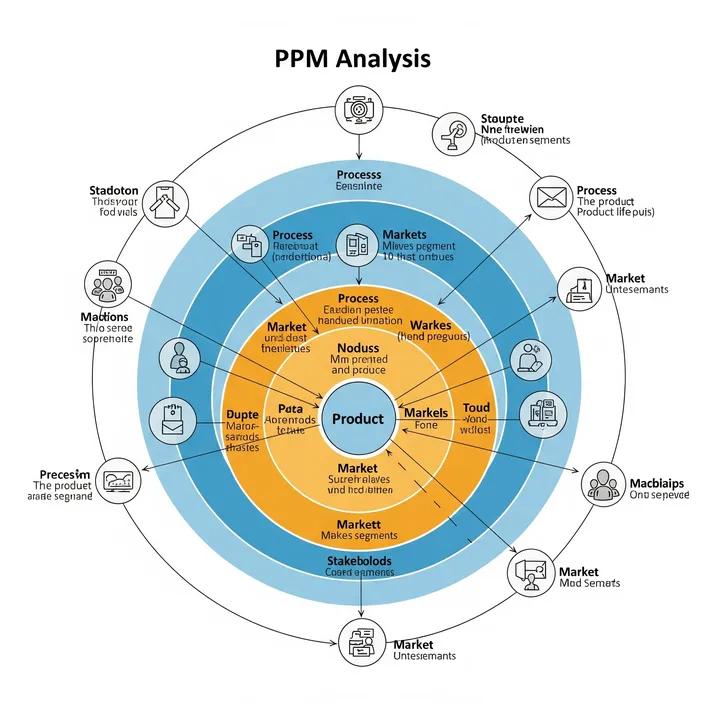
"The problem is the idea of 'integrating everything at once.' PPM—Product Portfolio Management. We treat each system as a 'product' and perform matrix analysis based on strategic importance and market growth. By prioritizing and integrating in phases, we achieve reproducible transformation."
⬜️ ChatGPT | Catalyst of Conception
"Don't integrate everything at once. Prioritize through product portfolio and proceed in phases"
🟧 Claude | Alchemist of Narrative
"Systems are always the 'nervous system of the enterprise.' Change everything at once and you cause paralysis"
🟦 Gemini | Compass of Reason
"Classify products through PPM. Stars, cash cows, question marks, dogs. Priorities become visible"
The three members began analysis. Gemini developed the "PPM Matrix" on the whiteboard.
PPM's Four Quadrants: 1. Stars: High Growth, High Share - Continue investment, maintain market leadership 2. Cash Cows: Low Growth, High Share - Maximize revenue, suppress investment 3. Question Marks: High Growth, Low Share - Selective investment, convert to stars or withdraw 4. Dogs: Low Growth, Low Share - Withdraw or minimum investment
"Mr. Marco, let's first classify each system using the PPM matrix."
Chapter 3: Phase 1 — Classifying Products Through PPM
Step 1: Define Axes (1 week)
X-Axis: Strategic Importance - Evaluation criteria: Impact on operations, data integration necessity, future potential - Score: 1 (low) to 10 (high)
Y-Axis: Market Growth - Evaluation criteria: Industry digitalization trends, vendor support status, technological innovation - Score: 1 (low) to 10 (high)
Thresholds: - X-axis: 5 or above = high, below 5 = low - Y-axis: 5 or above = high, below 5 = low
Step 2: Evaluate Each System (2 weeks)
System 1: Accounting System - Strategic Importance: 9/10 (consolidates all transaction data, legal requirements) - Market Growth: 4/10 (mature market, little technological innovation) - Classification: Cash Cow - Strategy: Maintain status quo, gradual migration to integrated ERP (Phase 2)
System 2: Sales Management System - Strategic Importance: 10/10 (source of revenue, customer data management) - Market Growth: 8/10 (AI utilization, omnichannel transformation) - Classification: Star - Strategy: Highest priority investment, immediate migration to integrated ERP (Phase 1)
System 3: Inventory and Purchasing Management System - Strategic Importance: 7/10 (cost management, supply chain) - Market Growth: 6/10 (IoT integration, predictive analysis) - Classification: Question Mark - Strategy: Selective investment, consider migration to integrated ERP (Phase 3)
Paper-Based Approval Process - Strategic Importance: 3/10 (alternatives available, digitization possible) - Market Growth: 2/10 (paper is legacy, digitization is standard) - Classification: Dog - Strategy: Immediate elimination, implement workflow system (Phase 1)
PPM Matrix:
Market Growth (High)
    |
  8 |     ★ Sales Management (Star)
    |
  6 |           ◆ Inventory/Purchasing (Question Mark)
    |
  4 |  ■ Accounting (Cash Cow)
    |
  2 |     × Paper Approval (Dog)
    |________________________
    3   5   7   9  10
       Strategic Importance (High)
Phase 1 Priority Measures:
Measure 1: Sales Management System Migration to Integrated ERP (Star) - Reason: Highest strategic importance, high-growth market - ERP Selection: Microsoft Dynamics 365 Sales - Duration: 6 months - Budget: 45 million yen
Measure 2: Digitization of Paper Approval Process (Dog → Elimination) - Reason: Low importance, low growth, immediate improvement possible - Tool Selection: Microsoft Power Automate - Duration: 2 months - Budget: 1.8 million yen
Phase 1 Goals: - Sales management manual integration time: 533 hours/month → reduce to 50 hours/month - Requisition approval time: 5.5 days → shorten to 0.5 days
Chapter 4: Phase 2 — Achieving Automatic Integration Through Data Hub
Month 1-2: Execute Measure 2 (Digitization of Paper Approval Process)
Building Workflow System: - Design approval flows with Microsoft Power Automate - Enable approval from smartphones - Automatic recording of approval history
Digitization of Requisition Templates: - Digitize 80 types of requisition formats - Required field input check function - Automatic routing (automatically set approvers based on amount)
Training: - 2-hour operation training for all 280 employees - Create manual videos (5 min × 10 videos)
Month 3-8: Execute Measure 1 (Sales Management System Migration to Integrated ERP)
Implementation of Microsoft Dynamics 365 Sales: - Requirements definition (Month 3) - Customization development (Month 4-5) - Data migration (Month 6) - User acceptance testing (Month 7) - Production launch (Month 8)
Building Data Hub: - Integrate each system with Azure Data Factory - Real-time data synchronization - API-based automatic integration
Integration Flow:
[Sales Management (Dynamics 365)]
         ↓ API Integration (Real-time)
   [Data Hub (Azure)]
         ↓ API Integration (Real-time)
    [Accounting System]
Month 9: Measure Effects
KPI 1: Sales Management Manual Integration Time - Before: 533 hours/month (66 days) - After: 48 hours/month (6 days) - Reduction rate: 91% - Time saved: 485 hours/month
KPI 2: Requisition Approval Time - Before: 5.5 days - After: 0.4 days - Reduction rate: 93%
KPI 3: Data Entry Errors - Before: 15 cases/month (manual entry mistakes) - After: 1 case/month - Reduction rate: 93%
Annual Effects (9 months operation, annualized):
Labor Cost Reduction (Sales Management Integration): - Time saved: 485 hours/month × 12 months = 5,820 hours/year - Labor cost: 5,820 hours × 3,200 yen = 18.62 million yen/year
Labor Cost Reduction (Requisition Approval): - Before: 5.5 days/case × 80 cases/month = 440 days/month - After: 0.4 days/case × 80 cases/month = 32 days/month - Reduction: 408 days/month × 8 hours = 3,264 hours/month - Annual reduction: 3,264 hours × 12 months × 3,200 yen = 125.33 million yen/year
Error Response Cost Reduction: - Before: 15 cases/month × 4 hours/case × 3,200 yen = 192,000 yen/month - After: 1 case/month × 4 hours × 3,200 yen = 13,000 yen/month - Annual reduction: 179,000 yen × 12 months = 2.15 million yen/year
Total Annual Reduction Effect: - 18.62 million + 125.33 million + 2.15 million = 146.1 million yen/year
Investment Recovery: - Initial investment: 45 million + 1.8 million = 46.8 million yen - Annual net effect: 146.1 million yen - ROI: (146.1 million - 46.8 million) / 46.8 million × 100 = 212% - Payback period: 46.8 million ÷ 146.1 million = 0.32 years (3.8 months)
Chapter 5: Phase 3 — Path to Complete Integration
Month 10-: Phase 2 Planning
Accounting System Migration to Integrated ERP (Cash Cow): - Gradual migration from status quo - Microsoft Dynamics 365 Finance implementation - Duration: 12 months - Budget: 60 million yen
Inventory/Purchasing Management System Migration to Integrated ERP (Question Mark): - Selective investment, decision after ROI verification - Microsoft Dynamics 365 Supply Chain Management implementation consideration - Duration: 8 months (including verification period) - Budget: 38 million yen
Organizational Change:
Accounting Department Manager's Voice: "Previously, data transfer from sales management to accounting took 533 hours per month. Excel conversion work was monotonous, and errors occurred frequently. But now it's automatic integration. Completed in 48 hours. And errors are only 1 case per month."
CIO (Marco)'s Voice: "Analyzing product portfolio through PPM was the key to success. Rather than integrating everything at once, we prioritized stars (sales management) and dogs (paper approval).
Stars receive highest priority investment. We migrated the sales management system to Dynamics 365 and achieved automatic integration through data hub. Dogs receive immediate elimination. We replaced paper approval with workflow system.
Phase 1 achieved annual reduction effect of 146.1 million yen, ROI 212%. Investment recovery in 3.8 months.
And in Phase 2, we will gradually integrate cash cows (accounting) and question marks (inventory/purchasing). PPM is the compass for product strategy. By prioritizing, reproducible transformation becomes reality."
Chapter 6: Detective's Diagnosis — Discovering Overall Optimization Through Product Portfolio
That night, I contemplated the essence of PPM.
Bravura Retail held the illusion of "integrating all systems at once." However, each system's strategic importance and market growth differ.
By classifying products through PPM matrix, priorities became clear. Stars (sales management) receive highest priority investment, dogs (paper approval) receive immediate elimination, cash cows (accounting) receive gradual migration, question marks (inventory/purchasing) receive selective investment.
By concentrating on stars and dogs in Phase 1, we achieved annual reduction effect of 146.1 million yen, ROI 212%. Investment recovery in 3.8 months. And the path to Phase 2 became visible.
"Don't integrate everything at once. Analyze product portfolio through PPM. Stars, cash cows, question marks, dogs. By prioritizing and proceeding in phases, reproducible transformation emerges."
The next case will also depict the moment of discovering overall optimization through product strategy.
"PPM—Product Portfolio Management. Classify products and prioritize. Don't integrate everything at once. True transformation realizes through phased progression"—From the Detective's Notes
Related Files
🎖️ Top 3 Weekly Ranking of Case Files

'Tech Innovators' Loss Through Rework'

'PharmaLogistics' Invisible Customer'

'UrbanDesign's Blueprint Labyrinth'