ROI Case File No.355 | 'TechNova's Sleeping Tool'
📅 2025-12-16 23:00
🕒 Reading time: 11 min
🏷️ AIDMA

- Chapter One: The Trap of Already Implemented—Unused Tools
- Chapter Two: The Misunderstanding of Tool Provision—Providing an Enabling Environment Doesn't Guarantee Use
- Chapter Three: Strategy Through Design—Drawing Out Action in 5 Stages
- Chapter Four: Execution as Results—Changes After 6 Months
- Chapter Five: The Detective's Diagnosis—Behavior Emerges from Design
- Related Files
Chapter One: The Trap of Already Implemented—Unused Tools
The day after resolving the new business development case at Global Solutions, another consultation arrived regarding RPA tool adoption promotion. Volume 29, "The Pursuit of Reproducibility," Episode 355, tells the story of designing behavior.
"Detective, we have implemented Power Automate. However, adoption is not progressing. We have only one system staff member, with limited response resources. And we struggle with in-house support in many situations—fragile to screen changes, not operating stably. How can we achieve organization-wide utilization?"
Kenichi Sasaki, information systems manager from TechNova, born in Chiba, visited 221B Baker Street with an exhausted expression. In his hands were the Power Automate license agreement and, in stark contrast, a usage status report noting "Active flows: Only 3."
"We develop and sell inspection equipment for manufacturing. Eighty-five employees. Annual revenue of 2.4 billion yen. We're promoting operational improvement and digitalization on the president's directive. We started RPA usage due to parent company influence and implemented Microsoft Power Automate."
TechNova's Current State: - Established: 2008 (Inspection equipment manufacturer) - Employees: 85 - Annual revenue: 2.4 billion yen - Power Automate implementation: April 2023 (1 year 8 months ago) - License count: 20 licenses - Active flows: Only 3 - Problems: Adoption not progressing, only 1 system staff member, unstable operation
Deep impatience permeated Sasaki's voice.
"Power Automate was implemented because our parent company deployed it company-wide, so we did too. We have 20 licenses. However, only 3 flows are actually operating.
Flow 1: Quote creation automation (Excel → PDF conversion) Flow 2: Invoice data transfer (Sales management system → Accounting system) Flow 3: Daily report auto-aggregation (SharePoint → Excel)
I created these 3 flows. However, requests from other departments are increasing and I cannot keep up."
Typical Problems:
Problem 1: Resource Shortage - System staff: Only Sasaki alone - Other duties: Network management, PC troubleshooting, system maintenance - Power Automate response time: About 5 hours weekly - Request waiting list: 8 cases (longest waiting 6 months)
Problem 2: In-house Support Limits - Sasaki's Power Automate skill: Intermediate level - Struggling situations: - Cannot handle Excel screen changes (errors when columns increase) - Difficult to respond to errors (cannot read logs) - Cannot implement complex conditional branching
Problem 3: Unstable Operation - 3 operating flows: Average 2 errors monthly - Error causes: - Excel file column additions (format changes) - SharePoint permission changes - Connection errors during system maintenance
Sasaki sighed deeply.
"And staff in other departments don't try to use Power Automate. Reactions like 'Seems difficult,' 'Not relevant to me,' 'I'll just ask Sasaki.' We have 20 licenses, but only I'm using them.
The president directs me to 'expand utilization more.' However, how can I get staff to start using it? How can we achieve organization-wide utilization? I don't know."
Chapter Two: The Misunderstanding of Tool Provision—Providing an Enabling Environment Doesn't Guarantee Use
"Mr. Sasaki, did you think that distributing licenses would get staff to start using them?"
My question made Sasaki smile bitterly.
"I thought so at first. But reality was different. Just distributing licenses means nobody uses them. They say 'Don't know how to use it' or 'Don't know what to use it for.'"
Current Understanding (Environment Provision Type): - Expectation: Provide tools and they'll be used - Problem: No design for getting people to use it
I explained the importance of designing customer psychological processes to prompt behavior.
"The problem is that 'the psychological process until staff take action' hasn't been designed. AIDMA—Attention, Interest, Desire, Memory, Action. Design these five stages to prompt staff behavior."
⬜️ ChatGPT | Catalyst of Conception
"Just arranging the environment doesn't create movement. Design psychological processes. Prompt action with AIDMA."
🟧 Claude | Story Alchemist
"Tools always 'have value only when used.' Design the path to usage."
🟦 Gemini | Compass of Reason
"AIDMA is a technique for behavior design. Move psychology through five stages, draw out action."
The three members began their analysis. Gemini displayed the "AIDMA Framework" on the whiteboard.
AIDMA's 5 Stages: 1. Attention: Make them aware of existence 2. Interest: Make them interested 3. Desire: Make them want it 4. Memory: Make them remember without forgetting 5. Action: Make them actually use it
"Mr. Sasaki, let's design these five stages one by one."
Chapter Three: Strategy Through Design—Drawing Out Action in 5 Stages
Phase 1: Attention Design (2 weeks)
Goal: Make them aware of Power Automate's existence
Measure 1: Company-wide Kickoff Meeting - Participants: All 85 employees - Content: - President's message "Importance of operational efficiency" (5 min) - What is Power Automate (10 min) - Demo of existing 3 flows (10 min) - Q&A (10 min) - Timing: Month 1
Measure 2: Internal Poster Display - Design: "Want to automate daily routine tasks?" - Display locations: Break rooms, restrooms on each floor - QR code: Links to Power Automate use case site
Measure 3: Email Newsletter Distribution - Frequency: Twice monthly - Content: Power Automate usage tips - Subscribers: All 85 employees (mandatory distribution)
Measurement Results After 2 Weeks:
Awareness Survey (Questionnaire): - Respondents: 78 of 85 (response rate 92%) - "Know about Power Automate": Before 18% → After 94% - Improvement: +76 points
Phase 2: Interest Design (3 weeks)
Goal: Make them interested like "seems usable for my work"
Measure 4: Department-specific Utilization Seminar - Target: Sales, Manufacturing, Management departments (20-30 each) - Content: - Hear each department's work challenges (20 min) - Demo solving those work challenges with Power Automate (20 min) - "What you want to automate in your work" questionnaire (10 min)
Sales Department Example: - Challenge: Quote creation takes 30 min/case (50 cases monthly, 25 hours) - Demo: Auto-creation with Power Automate (3 min/case, 2.5 hours monthly) - Reaction: "This is convenient!" "I want to use it too"
Manufacturing Department Example: - Challenge: Manual daily report entry in Excel (15 min daily, 5.5 hours monthly) - Demo: Auto-transfer with Power Automate (no manual entry needed) - Reaction: "Daily hassle reduces" "Want to try"
Measurement Results After 5 Weeks:
Interest Survey (Questionnaire): - "Want to try in my work": Before 12% → After 68% - Improvement: +56 points
"Tasks to Automate" Submissions: - Submitters: 52 people (61% of all employees) - Submission count: Total 78 cases
Phase 3: Desire Design (4 weeks)
Goal: Stimulate desire "want to use now"
Measure 5: Success Case Sharing - Sales Department's Mr. A used quote auto-creation flow - Achieved 25 hours monthly → 2.5 hours (90% reduction) - Case presentation at company-wide meeting (10 min) - Video posted on internal intranet
Measure 6: "Effect Visualization" Tool - ROI simulator creation - Input: Current work time, expected time after automation - Output: Annual reduction hours, reduced personnel costs - Example: 10 hours monthly reduction → 120 hours annually → 336,000 yen reduction
Measure 7: Free Initial Flow Creation Support - Sasaki provides free support for initial flow creation - Limited to first 10 people - Applicants: 10 people applied within 3 days of start (immediately full)
Measurement Results After 9 Weeks:
Desire Survey (Questionnaire): - "Want to use now": Before 8% → After 48% - Improvement: +40 points
Initial Flow Creation Applications: - Applicants: 10 people - Breakdown: Sales 4, Manufacturing 3, Management 3
Phase 4: Memory Design (Ongoing implementation)
Goal: Make them remember Power Automate without forgetting
Measure 8: Regular Reminders - Email newsletter: Twice monthly distribution (ongoing) - Use case posting on internal intranet top page - Report utilization status at monthly company-wide meetings (5 min)
Measure 9: Use Case Collection Updates - Add cases with each new flow creation - Record flow name, person in charge, reduction effect - Published on internal intranet
Measure 10: Power Automate Utilization Contest - Period: 3 months - Call for: "Flow contributing most to operational efficiency" - Prize money: 1st place 50,000 yen, 2nd 30,000 yen, 3rd 10,000 yen - Entries: 15 people
Phase 5: Action Design (Ongoing implementation)
Goal: Make them actually use Power Automate
Measure 11: Hands-on Training - Target: 10 initial flow creation applicants - Content: - Power Automate basics (1 hour) - Actually create simple flow (1 hour) - Create own work flow (1 hour, Sasaki supports) - Timing: Month 3
Measure 12: External Partner Utilization - Resolve Sasaki's resource shortage - Contract with Power Automate development support company - 300,000 yen monthly for complex flow development support
Measure 13: Internal Support Structure Construction - Power Automate champion system - Select 1 person from each department (total 5) - Sasaki conducts training (20 hours) - Champions handle support within departments
Chapter Four: Execution as Results—Changes After 6 Months
Phase 6: Measurement Results After 6 Months
Active Flow Count: - Before: 3 - After: 42 - Increase: +39 (+1,300%)
Flow Breakdown: - Sales department: 18 - Manufacturing department: 12 - Management department: 9 - Other: 3
Active User Count: - Before: 1 person (Sasaki only) - After: 28 people (33% of all employees)
Monthly Reduction Hours: - Before: 15 hours (total of 3 flows) - After: 420 hours (total of 42 flows) - Increase: +405 hours
Annual Reduction Hours: - 420 hours × 12 months = 5,040 hours
Annual Personnel Cost Reduction: - 5,040 hours × 2,800 yen = 14.112 million yen
Investment Costs: - Power Automate licenses: 200,000 yen monthly × 12 months = 2.4 million yen - External partner contract: 300,000 yen monthly × 6 months = 1.8 million yen - Training/measure costs: 1.5 million yen - Total: 5.7 million yen
ROI: - Return: 14.112 million yen - Investment: 5.7 million yen - ROI: (14.112 million yen - 5.7 million yen) / 5.7 million yen × 100 = 148% - Net effect: 8.412 million yen
Specific Success Cases:
Case 1: Sales Department Mr. A (Quote Auto-creation) - Before: Quote creation 30 min/case × 50 cases/month = 25 hours/month - After: Quote auto-creation 3 min/case × 50 cases/month = 2.5 hours/month - Reduction: 22.5 hours/month (90% reduction) - Effect: Increased customer visits by 5 monthly with freed time
Case 2: Manufacturing Department Mr. B (Daily Report Auto-transfer) - Before: Manual daily report entry 15 min/day × 20 days/month = 5 hours/month - After: Daily report auto-transfer 0 min/day - Reduction: 5 hours/month (100% reduction) - Effect: Leaving on time became possible
Case 3: Management Department Ms. C (Expense Settlement Check) - Before: Expense settlement check 10 min/case × 120 cases/month = 20 hours/month - After: Power Automate auto-checks, visual confirmation only for errors 5 hours/month - Reduction: 15 hours/month (75% reduction) - Effect: Month-end overtime decreased
AIDMA Stage Achievement Status:
Attention: - Awareness: 94% (achieved goal of 80%)
Interest: - Interest level: 68% (achieved goal of 60%)
Desire: - Desire level: 48% (achieved goal of 40%)
Memory: - Email newsletter open rate: 72% (achieved goal of 50%) - Use case collection access count: Monthly average 380 times
Action: - Active user count: 28 people (achieved goal of 20) - Active flow count: 42 (achieved goal of 30)
Organizational Transformation:
Sales Department Mr. A's Voice: "At first I thought 'seems difficult.' But at the kickoff meeting, watching Sasaki's demo, I became interested: 'Maybe I can do this too.' When I actually made one at hands-on training, it was surprisingly easy. Now quote creation is 90% faster. I can increase customer visits with the freed time."
Manufacturing Department Mr. B's Voice: "Manual daily report entry was a daily burden. But after automation with Power Automate, I can leave on time. Seeing 'Annual 5.5 hours reduction = 154,000 yen reduction' displayed on the ROI simulator, I was convinced 'we should implement this.'"
Sasaki's Reflection:
"Until designing AIDMA, I thought 'distribute licenses and they'll be used.' However, reality was different. Staff didn't know Power Automate existed, weren't interested, didn't know how to use it.
By designing AIDMA's five stages one by one—Attention, Interest, Desire, Memory, Action—organization-wide utilization progressed. Awareness 94%, active users 28 people, active flows 42. Achieved 14.112 million yen annual reduction effect, ROI 148%.
And by utilizing external partners, my resource shortage was also resolved. Through the champion system, 5 supporters grew in each department. Power Automate is no longer 'Sasaki's tool.' It's 'the entire company's tool.'"
Chapter Five: The Detective's Diagnosis—Behavior Emerges from Design
That evening, I contemplated the essence of AIDMA thinking.
TechNova had the misunderstanding that "distribute licenses and they'll be used." Just providing an environment didn't create behavior.
By designing five stages with AIDMA, staff psychology moved and behavior emerged. Attention (awareness 94%), Interest (interest 68%), Desire (desire 48%), Memory (open rate 72%), Action (28 users). This sequence created 14.112 million yen annual reduction effect.
"Just arranging the environment doesn't create movement. Design psychological processes. Prompt action through five stages of Attention, Interest, Desire, Memory, Action. Behavior emerges from design."
The next case will surely depict another moment of moving psychology and designing behavior.
"Attention, Interest, Desire, Memory, Action. Draw attention, create interest, stimulate desire, make memorable, cause action. Five-stage design moves organizations."—From the Detective's Notes
Related Files

🎖️ Top 3 Weekly Ranking of Classified Case Files
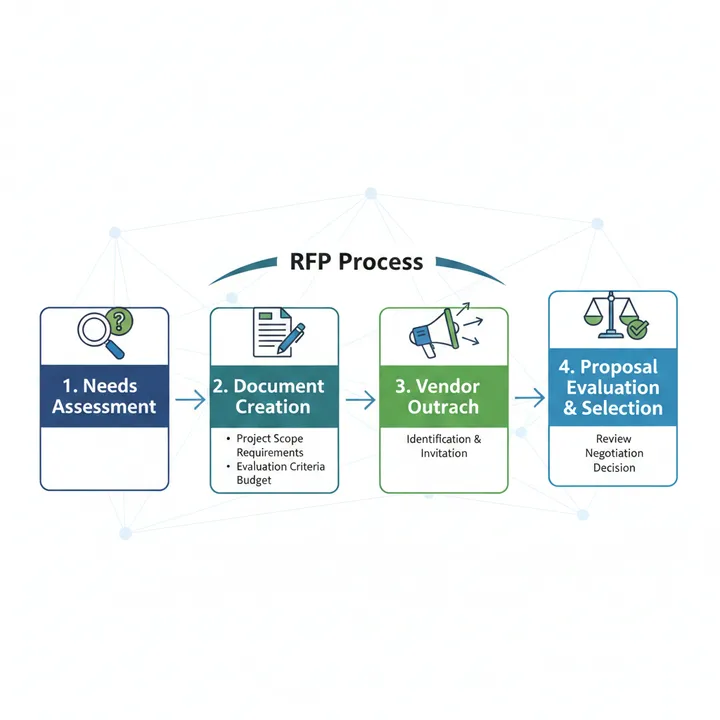
What is RFP

What is the RICE Framework
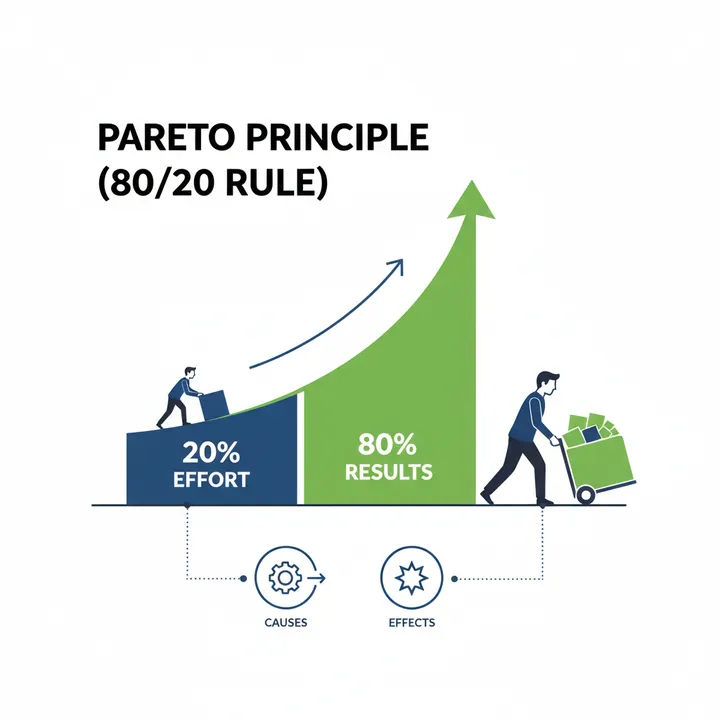
What is the Pareto Principle
Solve Your Business Challenges with Kindle Unlimited!
Access millions of books with unlimited reading.
Read the latest from ROI Detective Agency now!
*Free trial available for eligible customers only